Your Smart Home Is Over-Talking: Five Settings to Silence Tonight
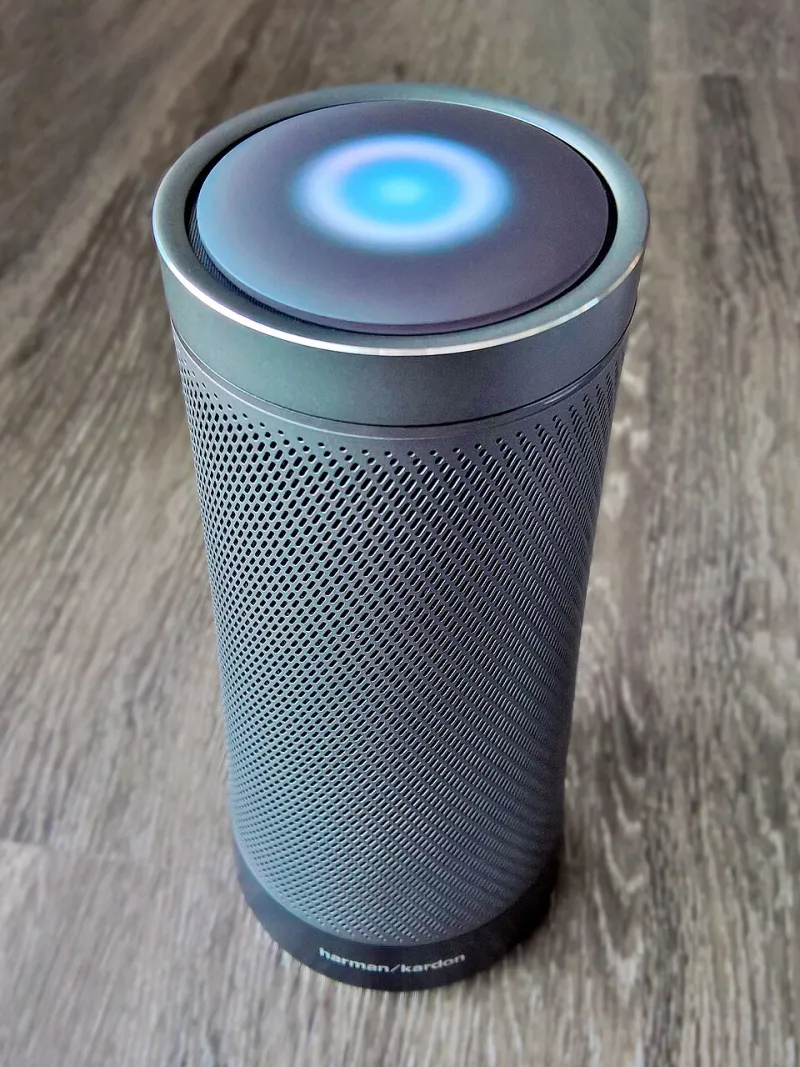
Photo: Jdubman, CC BY-SA 4.0, via Wikimedia Commons
Somewhere between buying your first smart plug and your fourth motion sensor, the house started talking back. Not in a haunted-house way—more like a group chat that never sleeps. A camera pings. A speaker suggests a recipe. A display brightens at 2 a.m. because someone walked to the kitchen for water.
That is smart home fatigue. The tech is supposed to smooth out your day, but too many alerts and automations can make the house feel like a second job. You end up managing notifications instead of enjoying the place.
The answer is not to rip out every smart device. It is to make the house act like a good roommate: helpful when needed, quiet the rest of the time. Here are five settings to turn off or adjust tonight.
1. Turn off motion alerts that are not security
Motion alerts are the biggest culprit. Indoor cameras, pet cams, and even some doorbells can send a push notification every time a leaf moves. If you are not going to act on an alert, it is noise.
Open each camera app and look for notification settings. Turn off general motion alerts for indoor cameras. Keep alerts for person detection or package detection if those are useful. For a doorbell, consider turning off routine motion pings and leaving only doorbell presses and package alerts on.
A good test: if an alert pops up and you swipe it away without doing anything, it does not need to be on. The house can watch without narrating.
2. Kill voice assistant follow-ups and proactive suggestions
Voice assistants love to keep the conversation going. After you ask for the weather, the speaker might say, “By the way, you can also…” Or it might offer a follow-up question, a shopping suggestion, or a news brief you did not ask for.
Look in your assistant app for settings like follow-up mode, continued conversation, proactive suggestions, or “things you might like.” Turn them off. You can still use voice commands; the assistant just will not linger after the answer.
This one setting can make a kitchen speaker feel dramatically less needy. Ask for a timer, get a timer, move on.
3. Stop auto-brightness from overreacting
Smart displays and adaptive lighting are supposed to adjust to the room. In practice, a display can go full lighthouse when you walk past it at night, and smart bulbs can shift color temperature at odd times.
On smart displays, set a fixed brightness schedule or a night mode instead of letting auto-brightness do everything. On smart bulbs, review adaptive lighting or circadian schedules. If the changes feel jumpy, set a simple evening scene: warmer light, lower brightness, no surprises.
You do not need perfect lighting science. You need a house that does not flash you at midnight.
4. Mute routine announcements and device chimes
Morning routines are a common offender. A single “Good morning” automation can read the weather, the calendar, the news, and the traffic report before you have had coffee. It feels efficient the first week and exhausting the second.
Open your routines and turn off spoken announcements you do not need. Keep the useful part—like a display showing the weather—and drop the audio. Also check device chimes: door sensors, appliance notifications, and hub sounds can add up.
Keep one or two security-related sounds if they help you feel safe. Mute the rest. A house does not need a sound effect for every closed drawer.
5. Turn off arrival and away guesses that create phantom notifications
Presence-based automations are clever until they are wrong. Your phone thinks you left, so the house announces “Away mode on” while you are sitting on the couch. Or it triggers arrival lights for a roommate who is already home.
If your smart home uses phone location to guess arrival and away, review those routines. Turn off automatic away/arrival announcements, or limit them to one person. If the guesses are consistently bad, switch to manual scenes or a simple schedule.
A smart home should not announce your life back to you. If the automation is not reliable, it is not saving you time.
The 10-minute quiet-house routine
You can do this tonight with one phone and one speaker nearby. Set a timer for 10 minutes and work through the list.
- Camera apps: turn off non-security motion alerts. Keep person, package, or doorbell press alerts only if you use them.
- Voice assistant app: disable follow-up mode, continued conversation, and proactive suggestions.
- Smart display: set a night brightness schedule or fixed evening brightness.
- Routines: mute spoken announcements that repeat information you already see on your phone.
- Presence automations: turn off arrival and away notifications that guess wrong.
- Create one quiet scene: set lights to 20 percent, speaker volume low, and notifications off for the evening. Name it something obvious, like “Quiet House.”
Then live with it for a week. Pay attention to which alerts you actually miss. You will probably find that you miss very few—and that the house feels calmer without them.
A quieter smart home is not a dumber one. It is a home that knows when to speak up and when to stay out of the way. Tonight is a good night to teach it.